Reducing Support Case Volume with
AI-Driven Self-Service
Timeline
3 months
Scope
Product feature design, AI support, and self-service flows
Platform
Enterprise SaaS
Problem
Cisco’s CX Cloud platform faced high support case volume driven by both critical and routine issues. This created delays, increased workload for Technical Assistance Center (TAC) engineers, and slowed resolution times for customers.
While self-service tools existed, they required users to manually search through documentation and often lacked clarity, making it difficult to act on recommendations with confidence. As a result, users defaulted to opening support cases, even for issues that could have been resolved independently.

👉 How might we enable users to resolve issues independently while reducing reliance on support?
Approach
The core issue wasn’t just a lack of self-service—it was a lack of trust and clarity. Existing tools surfaced recommendations, but users didn’t feel confident acting on them without understanding why they were relevant or how they would resolve the issue.
I focused on shifting the experience from reactive support to proactive, guided resolution. Through competitive analysis and stakeholder interviews with TAC engineers, it became clear that effective self-service required not just surfacing answers, but making them understandable, actionable, and trustworthy.
I worked closely with product and engineering to design solutions that integrated seamlessly into CX Cloud, ensuring users could move from issue detection to resolution without leaving their workflow. This constraint shaped the solution, requiring improvements to layer into existing systems rather than fully replacing them.
Key Decisions
I introduced Predictive Remediation to surface potential issues before they occur, shifting resolution earlier in the workflow and reducing reliance on reactive support.
To support users once issues arise, I designed an AI Self-Help flow that allows users to describe problems in their own words, reducing friction compared to navigating structured documentation.To build trust, recommendations were paired with clear, plain-language explanations and linked to existing documentation, helping users understand both what to do and why it works. I also integrated case creation directly into the experience, allowing users to escalate seamlessly if self-service did not resolve their issue.
Together, these decisions focused on reducing friction while maintaining clarity and user confidence.
Final Designs
Predictive Remediation
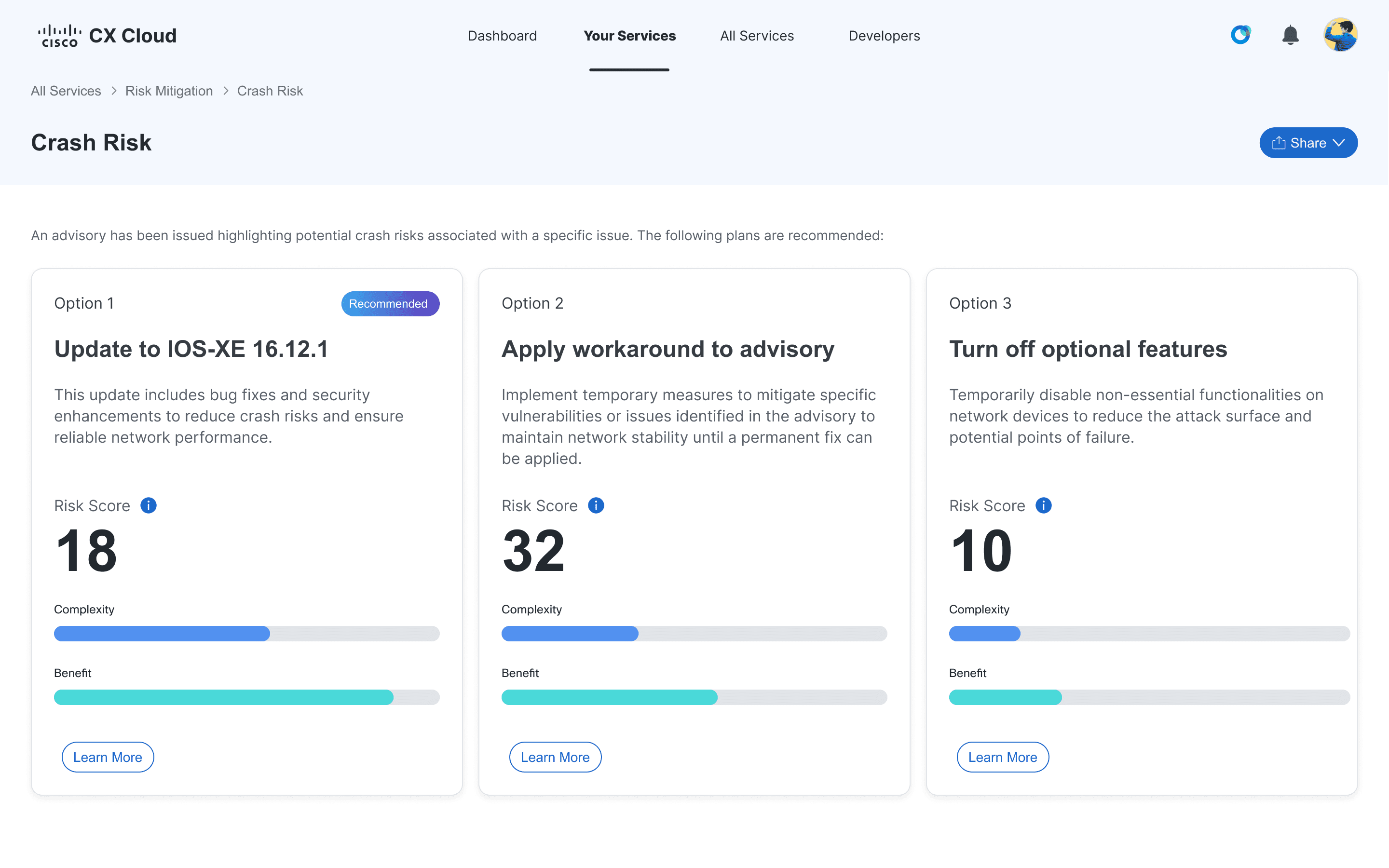
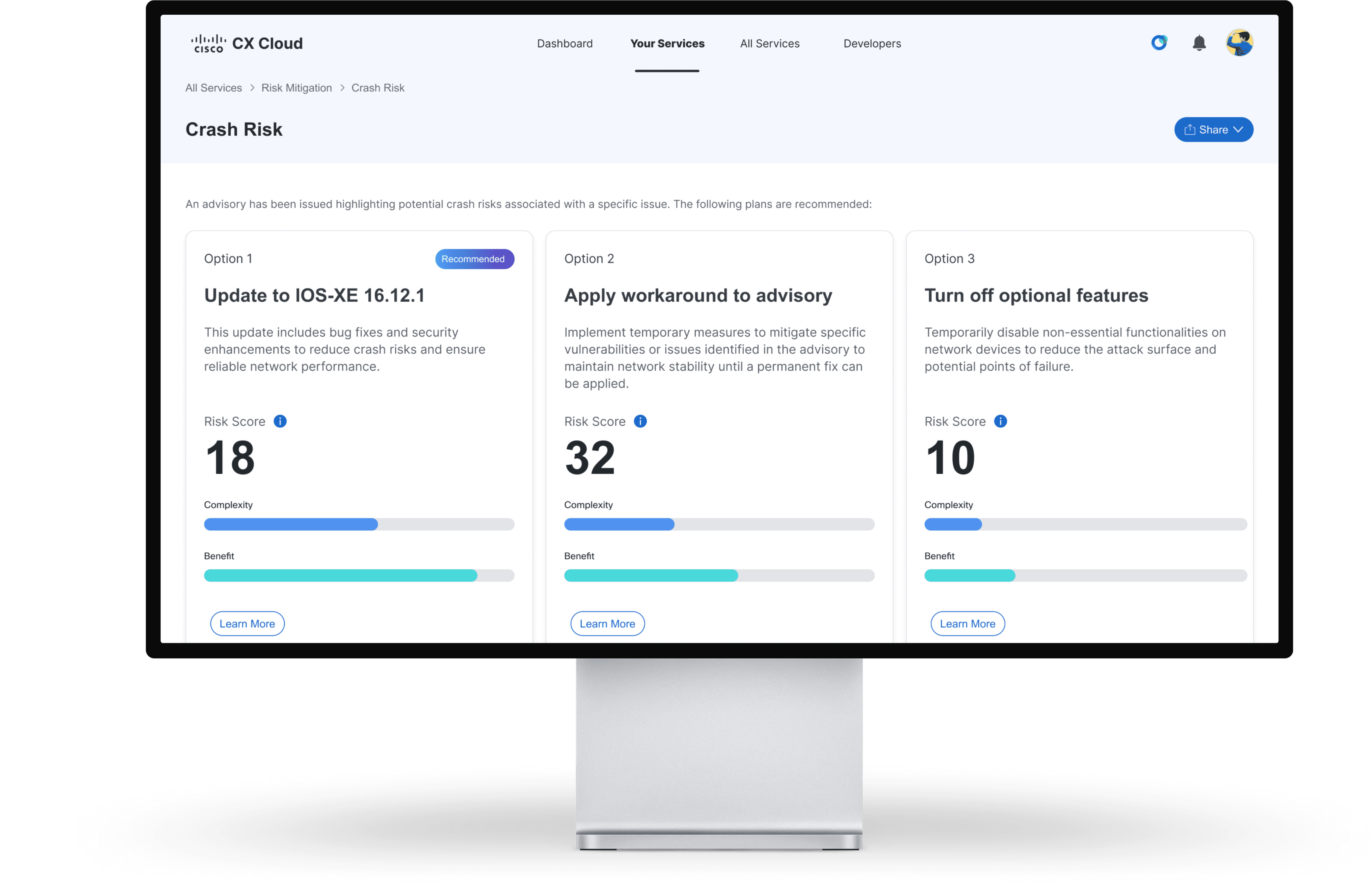
Predictive remediation surfaces potential crash risks and presents recommended resolution options, each with a risk score to help users quickly evaluate tradeoffs and choose the safest path forward.
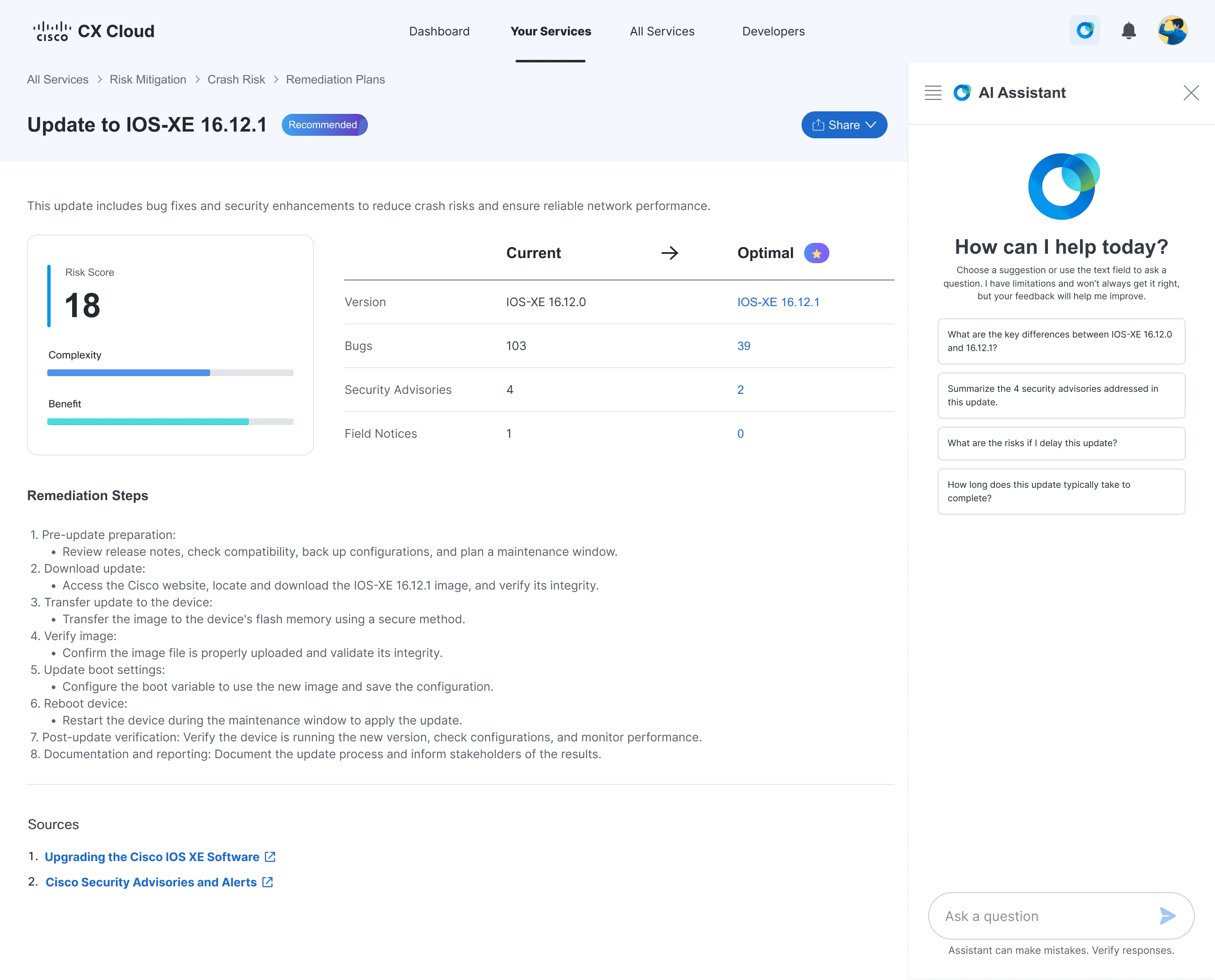
The recommended plan details page surfaces expected impact and step-by-step remediation guidance, with linked sources and pre-populated AI prompts that help users ask the right questions, validate, and confidently execute the solution.
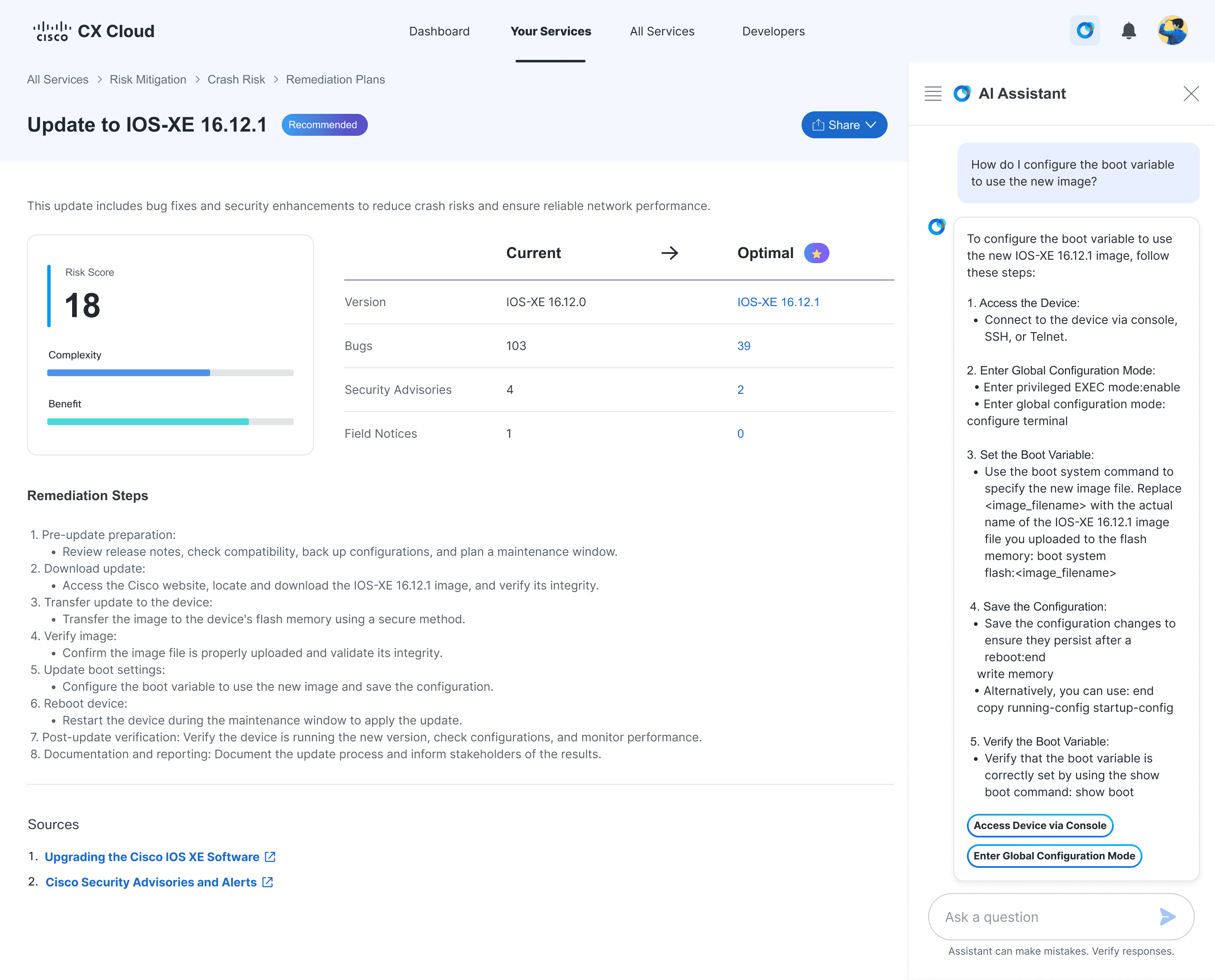
The AI assistant supports both guided prompts and free-form questions, allowing users to explore the remediation plan, clarify concerns, and act with confidence.
AI Self-Help
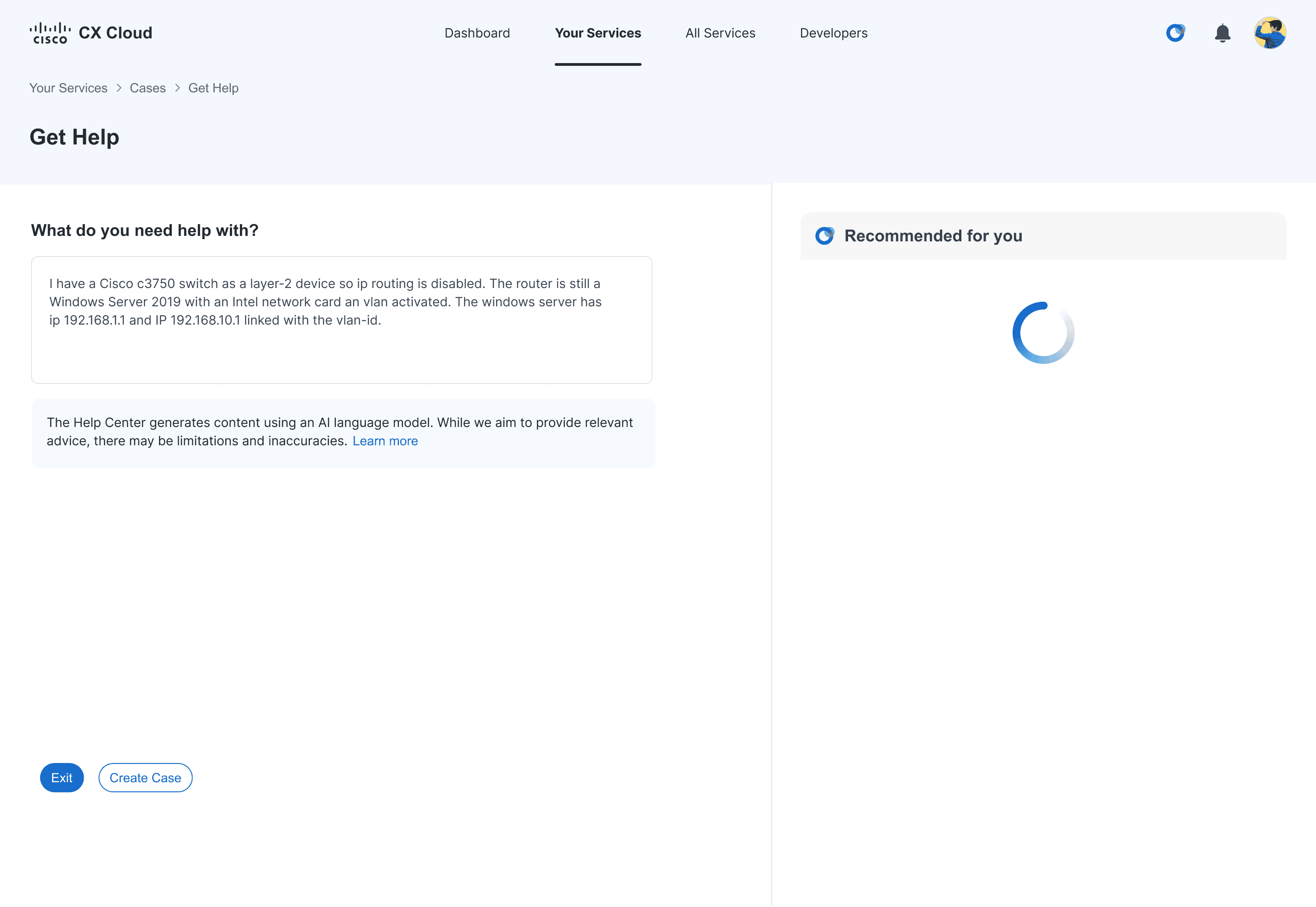
The AI self-help flow captures user-described issues and surfaces real-time recommendations, guiding users toward resolution without requiring navigation through documentation.
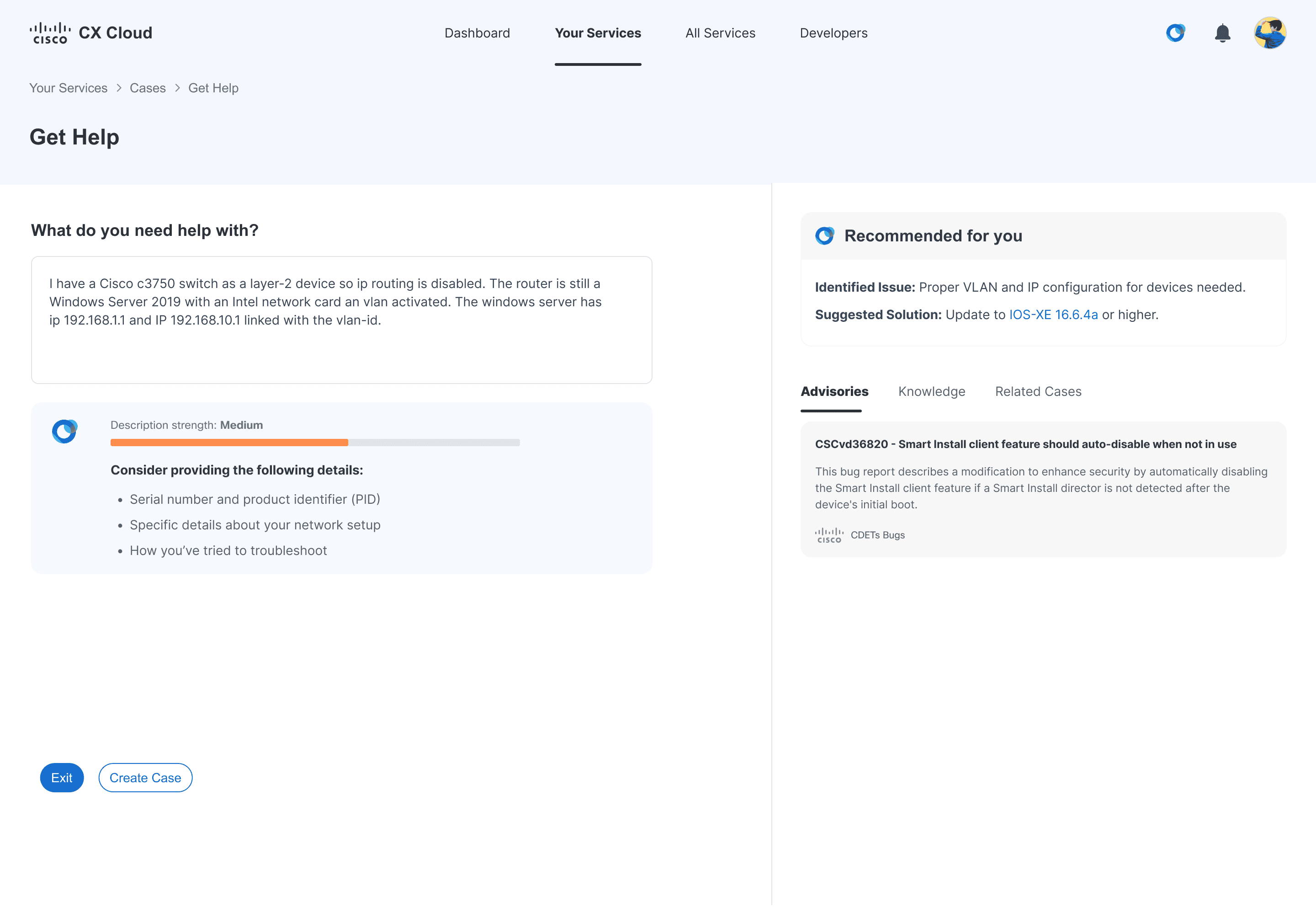
The AI assesses description strength and guides users to add key details, helping improve the quality of recommendations.
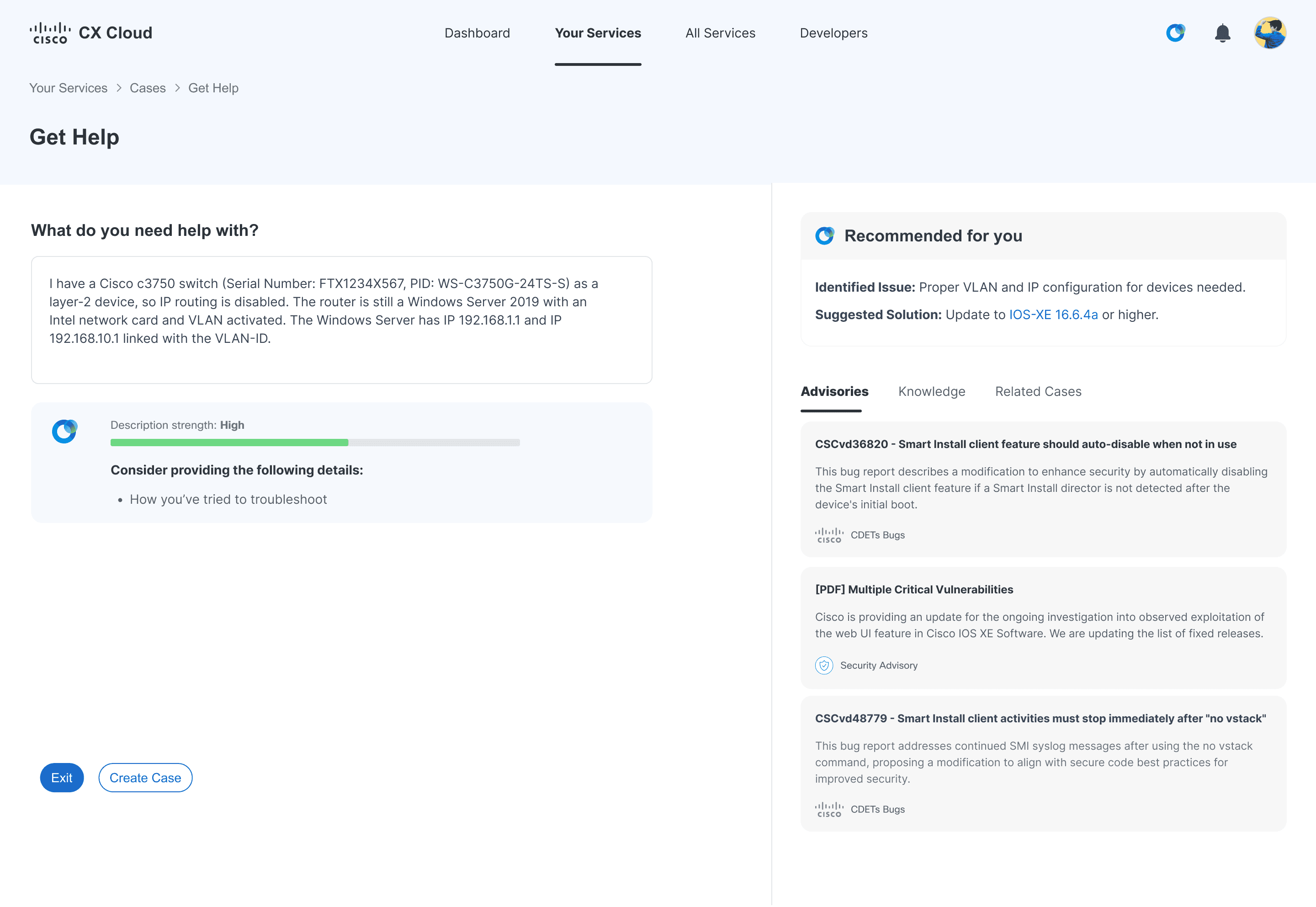
With more detailed input, the AI surfaces more accurate and comprehensive recommendations, while still allowing users to open a case if additional support is needed.
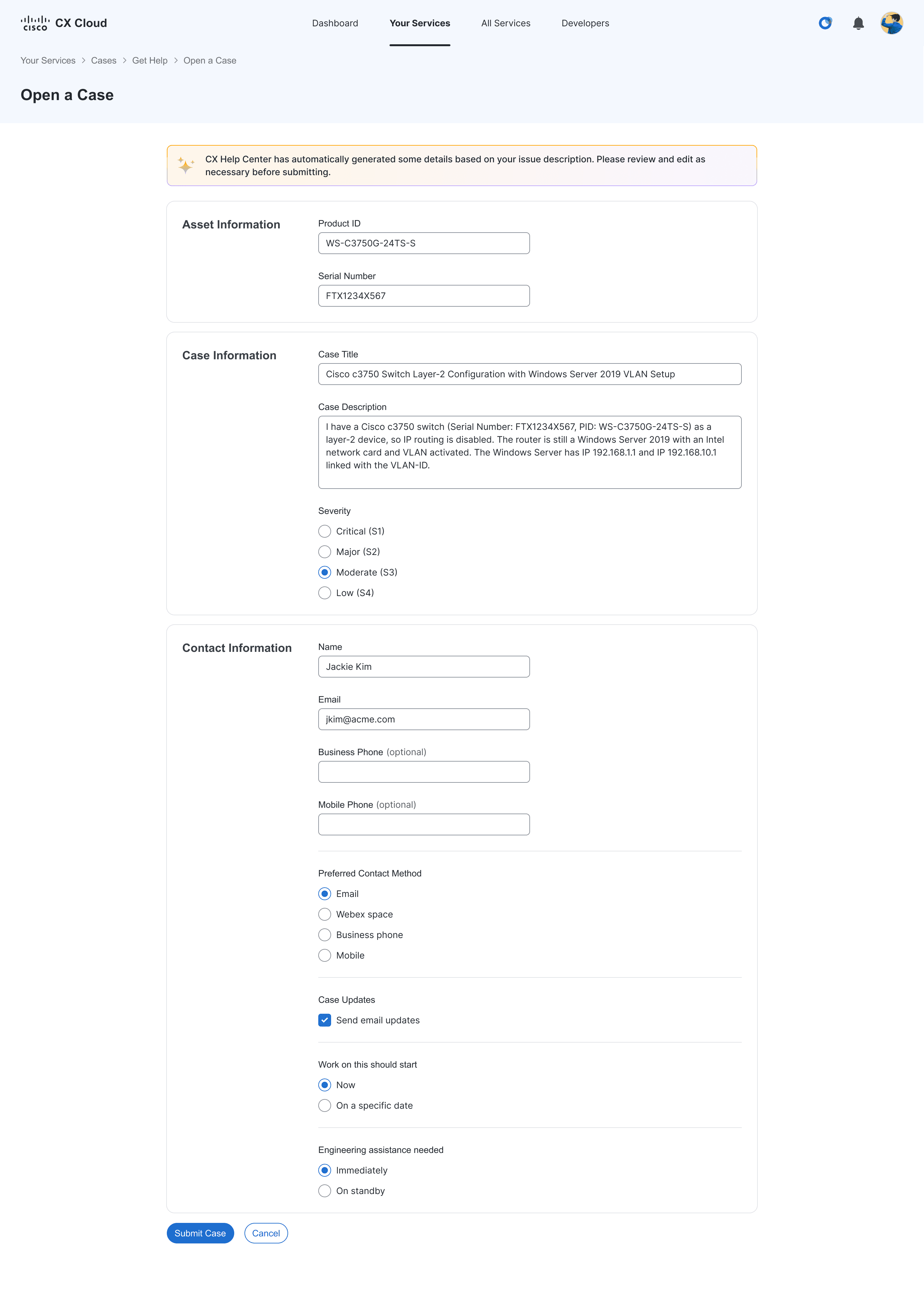
The case creation flow carries over user-provided context from the AI self-help experience, pre-filling fields to eliminate duplicate effort and speed up case submission.
Tradeoffs
Designing for AI introduced a balance between automation and trust. Increasing automation could reduce steps, but without explaining why recommendations were made, users would be less likely to trust and act on them. There was also a tradeoff between guidance and control. Providing step-by-step recommendations simplified resolution, but reduced the flexibility of manual troubleshooting for more advanced users.
Impact
By enabling users to resolve common issues independently and surfacing proactive guidance, the solution was projected to reduce support case volume and drive significant cost savings, based on business analyst estimates. More importantly, the design established a scalable foundation for AI-driven support by balancing automation with clarity, ensuring users could trust and act on recommendations with confidence.
↓3%
support cases
$15M
saved annually
Reflection
The challenge wasn’t just presenting AI-recommended solutions. It was making users feel confident enough to act on them. Confidence came from clear explanations and the ability to verify recommendations against trusted sources, not from increasing automation.
Next Steps
Validate AI recommendations through usability testing
Expand support to additional use cases while continuing to build user trust in the system
Ensure proactive support reduces friction within the workflow, not add to it
Other Projects

Reduced time and effort required to find version-and product specific release updates
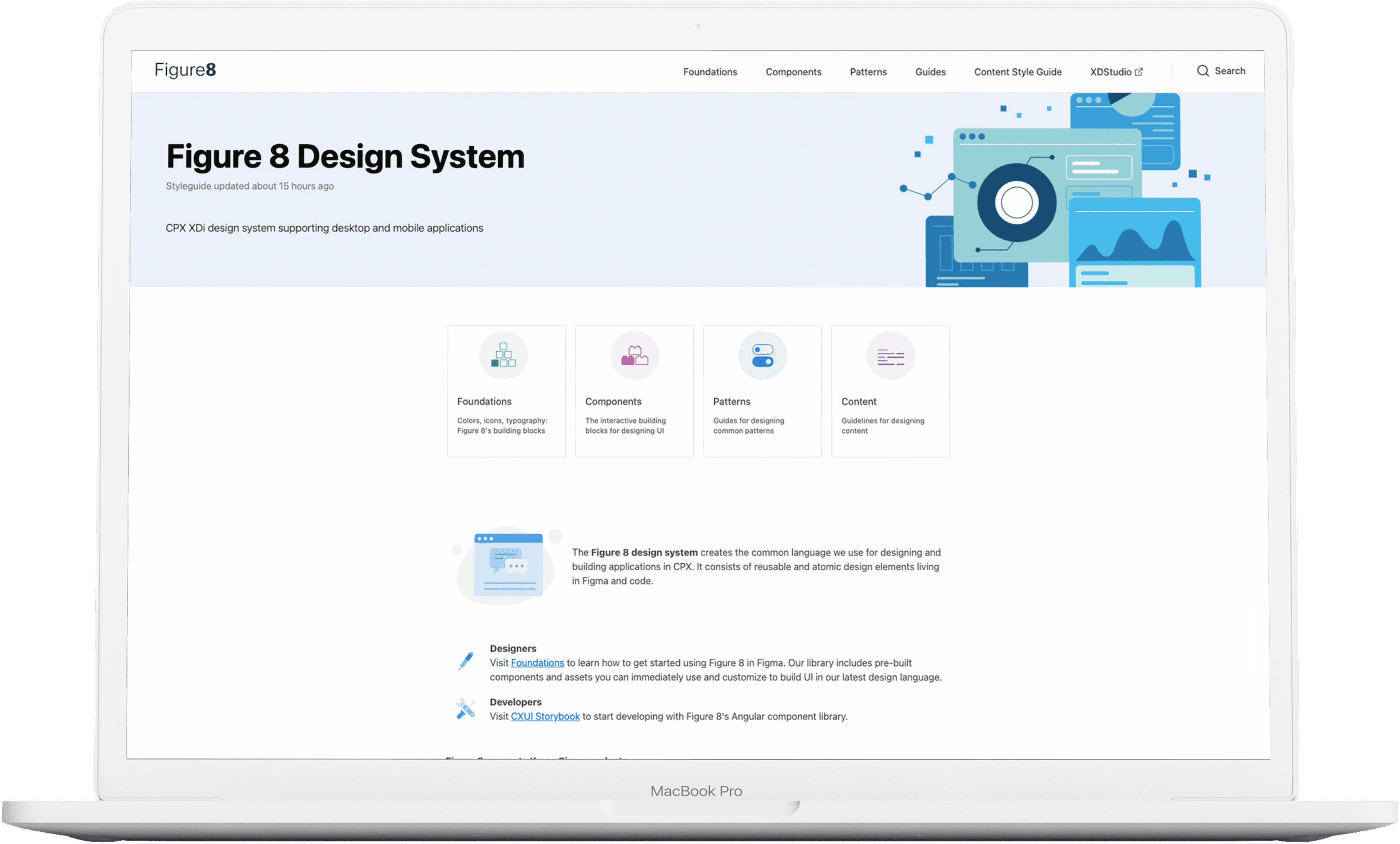
Standardized 67 components with 100% adoption, improving design and development efficiency

Reduced support calls by 4.2% despite a 17% increase in new users
Copyright 2026 by Jackie Kim